
Callboard: a shared to-do list for you and your coding agents
Callboard keeps what Claude Code and Codex are doing, and what they need from you, in three Markdown checklists in your repo, with a live page to answer them in one click. Set it up with one prompt.
Published
AI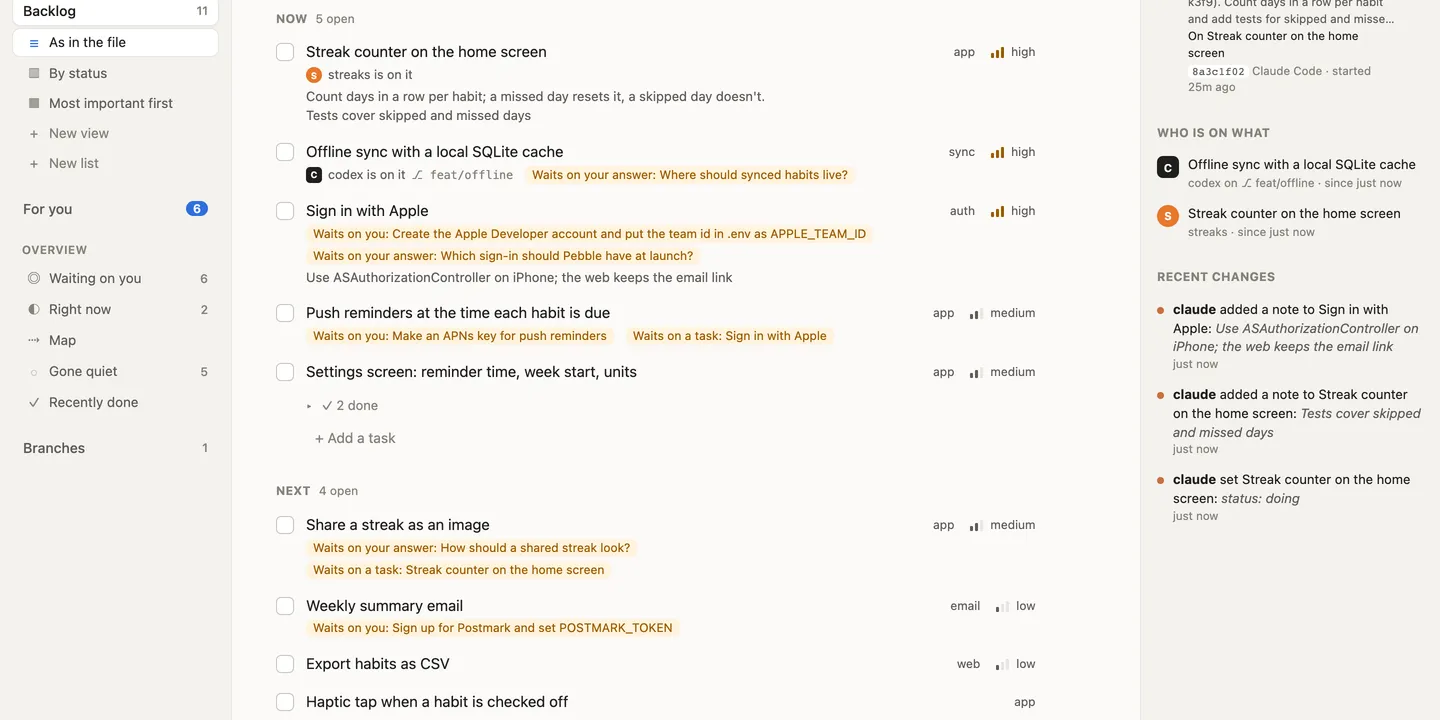
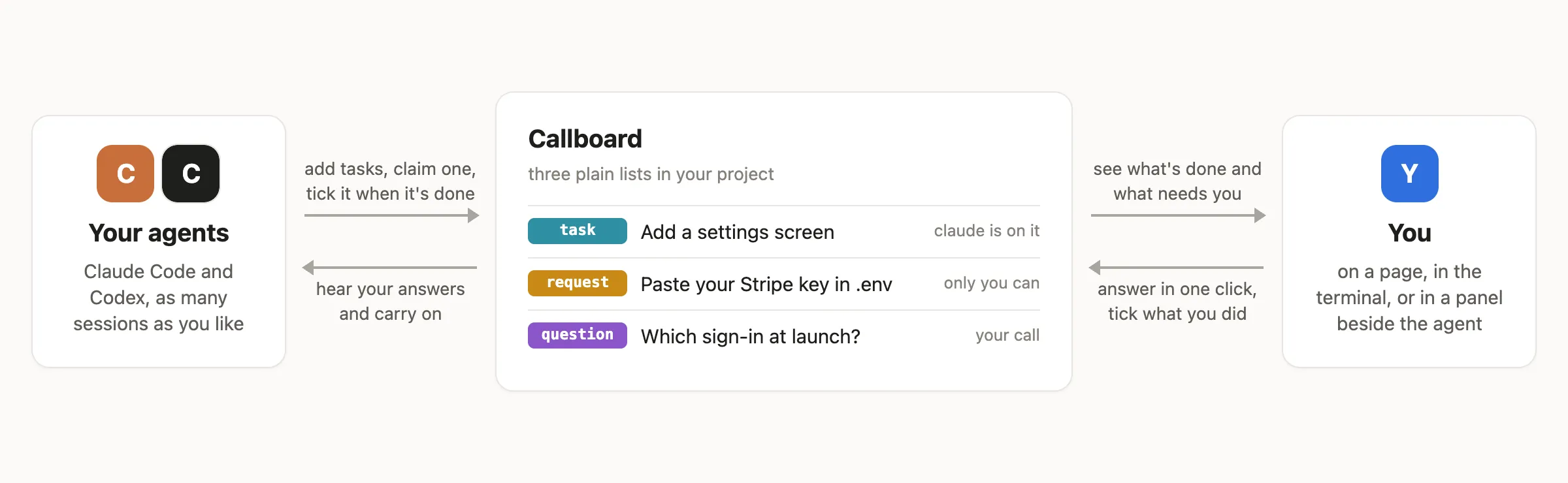
If you build with Claude Code or Codex, you’ve probably scrolled back through a chat to find out what the agent finished, what it’s about to do, and what it’s waiting on you for. Callboard puts all of that in one list that your agents keep up to date as they work. They bring you their questions with the options and a recommendation, list what only you can do (an API key, an account, a deploy) with exact steps, and you answer in one click.
It’s one Go program with no account and no server: the lists are plain Markdown files in your project.
Set it up with one prompt
Click the button and paste the prompt into Claude Code or Codex:
That file tells the agent how to install Callboard, connect it to Claude Code, Codex and git, and check that it worked. All that’s left for you is to start a new session and, in Codex, approve the hooks once. Or do it by hand:
curl -fsSL https://raw.githubusercontent.com/AsWali/CallBoard/main/install.sh | sh
callboard setup --global
setup --global changes only your own settings, never the files in your
projects, and callboard disconnect --global undoes it. To set up a
single repo for a team instead, run callboard setup inside it and
commit what it writes.
Where it came from
My global CLAUDE.md used to tell every agent to keep a todo.md, a
requests.md for things only I can do, and a questions.md for
decisions that are mine. The habit worked, but plain files have limits.
Two agents can edit the same file at once, branches conflict on the
lists, and nothing tells an agent that you answered a question.
Callboard is that habit turned into a tool.
Three lists: tasks, requests and questions
| File | Holds |
|---|---|
backlog.md |
Work an agent can do itself: “Add a settings screen” |
requests.md |
What only you can do: accounts, keys, money, DNS, deploys |
questions.md |
Decisions that are yours, with options and a recommendation |
They’re ordinary checklists, so they read fine on GitHub and in any editor. Each item carries a hidden comment with its key, who added it, what it waits on, and any fields:
- [ ] Streak counter on the home screen <!-- id:B-k3f9 by:claude prio:high needs:Q-au7h -->
  Count days in a row per habit; a missed day resets it.
You don’t have to tell your agents to use them. They hear the lists at the start of every session, add what they find, claim a task before starting it, and tick it when it’s done.
Answer your agents’ questions in one click
callboard serve --open opens a live page. For you holds every
question and request waiting on you. Each question shows its options
with the agent’s recommendation marked, and what answering lets go
ahead:
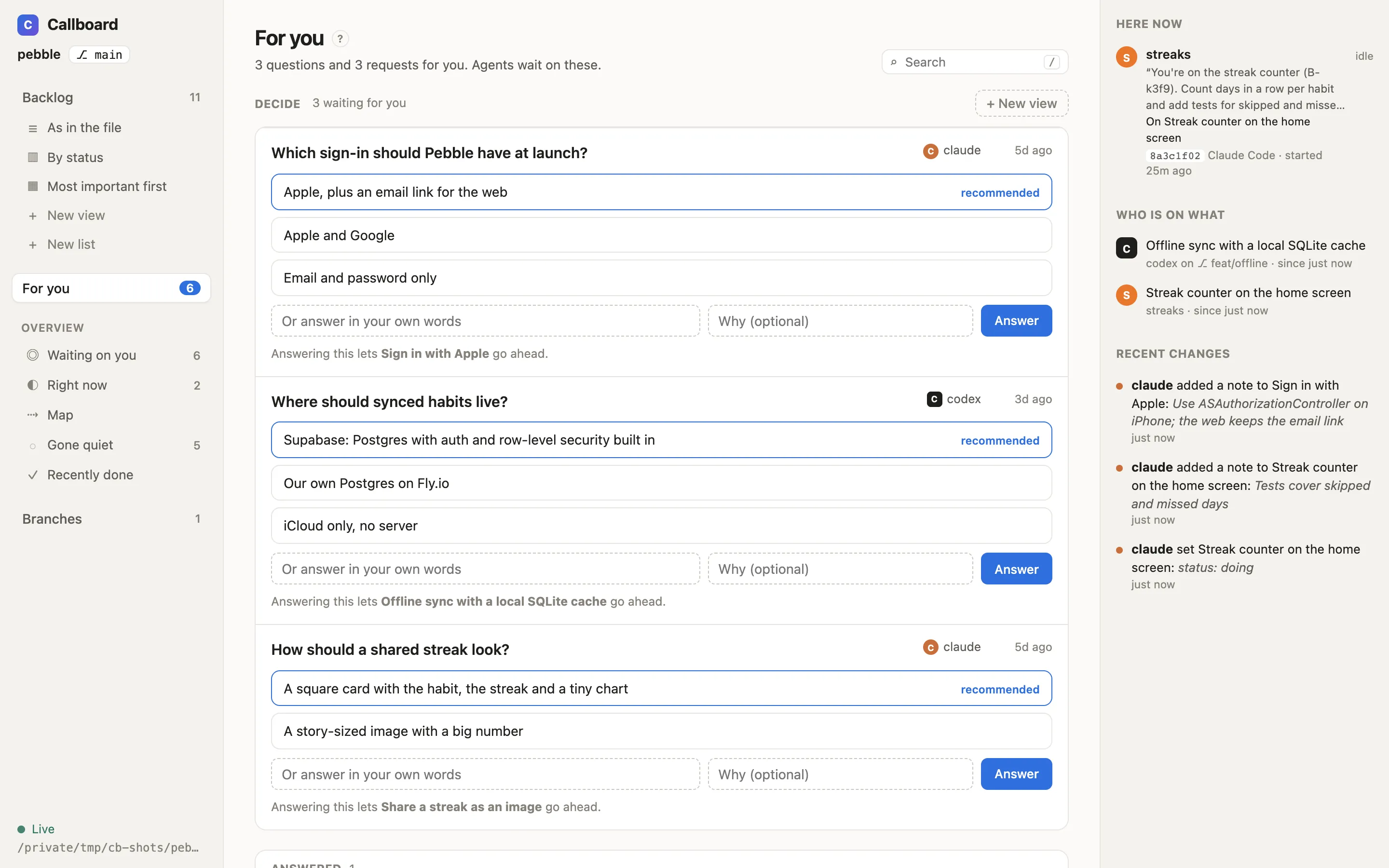
If an agent can’t wait, it goes ahead with the option it recommended and leaves the question open. If you later pick something else, the work that depended on it opens again, and the agent is told to redo it.
Watch the list change as agents work
The page updates the moment anything changes: an agent’s claim, a tick, your answer, a merge. In this clip Codex claims a task, a Claude Code session ticks another, and I answer a question under For you:
Several agents, no collisions
Agents claim a task before starting it, so two agents never do the same work. That holds across Claude Code and Codex, several sessions, and different branches. Every change also carries the version of the item it read. If someone changed the item since, the change is refused, so an agent never overwrites you or another agent.
Branches work too. Callboard merges the lists item by item, so a tick on one branch and a rename on another land together instead of conflicting.
The same lists in your terminal
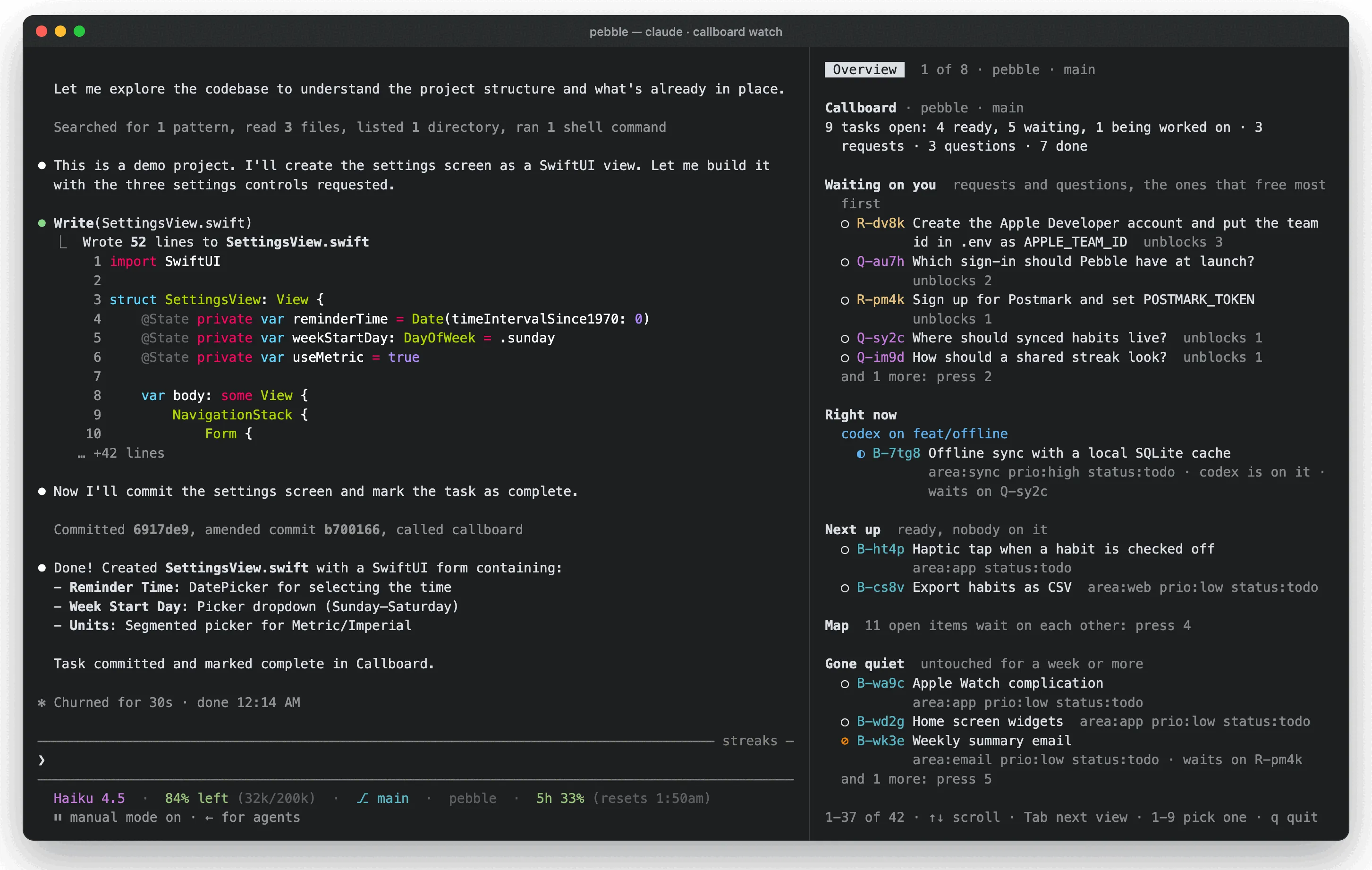
/callboard in Claude Code (!callboard in Codex) prints the lists in
the conversation, and costs no tokens: Callboard answers it before the
model sees it. /callboard panel keeps them beside the agent:
Try it on a demo project
git clone https://github.com/AsWali/CallBoard && cd CallBoard
scripts/demo.sh
cd "${TMPDIR:-/tmp}/callboard-demo/pebble"
callboard serve --open
That builds a made-up habit tracker, Pebble, with lists already in it.
Start claude or codex in that folder and ask it to pick up the next
task: you’ll see it claim one, and tick it when it’s done.
The code, docs and releases are on GitHub.